


Security Cameras (CCTV)
Browse the security cameras Douglas Security System installs for homes, apartment buildings, offices, and storefronts across NYC and Long Island. This category includes HD and IP cameras for indoor and outdoor use.
IP Security Cameras for NYC Properties
We install IP cameras like the PAR 4MP turret camera with a 2.8mm lens and the PAR 2MP bullet camera with a 7-22mm auto-focus lens. Depending on the model, features include human and vehicle detection, night vision, white-light options, and facial recognition with a compatible NVR.
How We Plan a Camera System
We walk your property, pick camera spots for entrances, lobbies, hallways, parking areas, and storefronts, and choose the right lens for each view. Then we run the cable, mount the cameras, set up the recorder, and connect everything to your phone, so you can watch live video or play back recordings from anywhere.
Recording and Storage
Your footage can be recorded locally on an NVR, stored in the cloud, or both. We’ll help you decide how many days of video you need to keep and size the storage to match. Clear footage matters when you need to hand video to the police or your insurance company.
Turret, Dome, or Bullet Camera?
Turret and dome cameras suit lobbies, hallways, and entrances where you want a wide view. Bullet cameras with a zoom lens suit long driveways, parking areas, and building perimeters. We’ll recommend the mix that covers your property without blind spots.
Cameras for Every Type of Property
For private houses, a few outdoor cameras at the doors and driveway usually do the job. Apartment buildings need coverage at every entrance, the lobby, mailrooms, and hallways. Storefronts and offices often add a camera at the register or front desk. We size the system to the property, so you pay only for the cameras you need.
Cameras With Your Intercom and Access Control
Cameras work best alongside a good intercom and access control system. We can install all three, so you have one team to call for the whole entrance. We also install Invid security camera systems. Our office is at 1541 E 46th Street, Brooklyn, NY 11234. Call (212) 262-2820 for a free camera quote, or see all of our security services.
Watch Your Cameras From Your Phone
Every camera system we install can be set up for remote viewing, so you can watch live video and play back recordings on your phone or computer. You can check a delivery, see who’s at the door, or review what happened overnight without being on site. We set up the app and show you how to use it before we leave.
Where to Place Cameras in an Apartment Building
- Main entrance and vestibule: captures everyone who enters.
- Lobby and mailroom: covers package areas, a common target for theft.
- Side, rear, and service doors: often the least watched entrances.
- Hallways and stairwells: helpful in larger buildings.
- Laundry rooms, bike rooms, and storage: common problem areas.
- Parking areas and driveways: a bullet camera with a zoom lens covers distance.
Cameras for Landlords and Property Managers
For landlords and managers, cameras help settle disputes, discourage vandalism, and document incidents at entrances and package areas. Managers of several buildings can view every site from one app. We plan camera placement around the problems you actually have, and we pair cameras with intercom systems and access control so entrances are covered from every angle.
Cameras for Storefronts, Offices, and Warehouses
Businesses use cameras to watch entrances, registers, stock rooms, loading docks, and parking areas. A turret camera like the PAR 4MP turret camera covers wide areas like sales floors and hallways, while a bullet camera like the PAR 2MP bullet camera with a 7-22mm zoom lens covers long driveways and lots. We can also connect cameras to your door entry system so staff see who’s at the door.
Wired or Wireless Cameras?
Wired IP cameras run on network cable, often with power over the same cable (PoE). They’re the most reliable choice for buildings and businesses because they don’t depend on Wi-Fi or batteries. Wireless cameras are easier to install in spots where cable is hard to run, but they need a strong signal and power nearby. For most properties we recommend wired cameras at entrances and other critical spots.
Camera Placement and Privacy
Cameras should cover common areas, entrances, and your own property, not the inside of apartments or a neighbor’s windows. Rules about recording audio can be stricter than rules about video, so we’ll talk through whether to turn on a camera’s microphone for your location. Posting signs that cameras are in use is a common practice and can discourage problems.
Support After Installation
DSS has installed and serviced security systems in New York for over 35 years, and we are licensed and insured. After installation, you have one company to call for adding cameras, adjusting views, updating the app, or fixing a camera that goes offline. We install and support cameras across Brooklyn, Manhattan, Queens, the Bronx, Staten Island, and Long Island. Call (212) 262-2820 for a free quote.
Night Vision and Low-Light Areas
Many problems happen after dark, so night performance matters. The PAR cameras we carry offer infrared or white-light night modes. Infrared gives a clear black-and-white picture in total darkness, while white light can show color at night and also discourages intruders. We check lighting at each spot during the survey and choose the right camera and mounting for it.
Choosing Camera Resolution
Higher resolution shows more detail, which helps when you need to recognize faces or read plates. A 4MP camera shows more detail than a 2MP camera over the same area, but it also uses more storage. The lens matters as much as resolution: a wide lens covers more area with less detail, and a zoom lens shows distant areas in more detail. We match resolution and lens to what each camera needs to see.
Cameras for Homes and Two-Family Houses
For houses, the most useful spots are the front door, the driveway, the back door, and any side entrance or gate. A camera over the front door works well with a video door station, so you can see visitors and packages from your phone. For two-family homes, we can set up viewing so each household sees the shared areas that matter to them.
Adding Cameras to an Existing System
If you already have cameras, you may not need to start over. We can often add new cameras to an existing recorder, replace a failed camera with a compatible model, or upgrade the recorder while keeping good cameras. We check what you have first, then recommend the lowest-cost way to cover the areas you’re missing.
Common Camera Problems We Fix
- Cameras that go offline or show a black screen
- Blurry or foggy pictures from dirty or damaged housings
- Recorders that stop saving footage or run out of space
- Phone apps that stop connecting after a router or internet change
- Night video that’s too dark or washed out
- Cameras knocked out of position by weather or vandalism
Security Camera FAQs
Do you install the cameras you sell?
Yes. DSS technicians mount, wire, and set up every camera, then set up recording and remote viewing before we leave. Cable runs are usually the slow part, because each camera needs power and a network connection back to the recorder. Aiming matters too. A camera pointed a few degrees off can miss a face at the door, so the picture is checked on a screen before the job is done.
Should I choose a turret or a bullet camera?
It depends on the spot. A turret camera like the PAR 4MP turret camera gives a wide view of entrances, lobbies, and hallways. A bullet camera with a zoom lens, like the PAR 2MP bullet camera, is better for long driveways, parking areas, and identifying faces at a distance. Turrets suit ceilings and tight indoor areas. Bullets are easier to aim narrowly and tend to suit outdoor walls and poles.
Can I watch my cameras from my phone?
Yes. We set up remote viewing during installation, so you can watch live video and play back recordings from your phone. The cameras connect through your internet router, so you will want a stable connection at the property. You can check on a delivery, a front gate, or a storefront after closing without being on site. Playback lets you jump to the time something happened instead of scrolling through hours of footage.
Do I need a recorder (NVR)?
Most multi-camera systems record to a network video recorder (NVR). Some cameras, like the PAR 4MP turret, also have an SD card slot for local storage. We recommend the setup that fits how long you need to keep footage. An NVR holds many days from several cameras on one hard drive and keeps the footage in a protected spot. A card works for a single camera, but it is small and wears out.
Do the cameras work at night?
Yes. The PAR cameras we carry offer infrared or white-light night modes, so you get a clear picture after dark. Infrared shows a black-and-white image and stays invisible to people. White light switches the camera to color when it lights the scene, and it also works as a visible deterrent. Which one fits depends on whether you value color detail, such as clothing or a car, or discretion.
Can cameras work with my intercom?
Yes. Many customers add cameras over the entrance when they install a video intercom from Comelit or Aiphone, so there’s a record of everyone who comes and goes. An intercom screen shows a visitor only while someone answers. A camera records every approach, including people who never ring a bell or who follow a resident through the door. That recording is what you pull up after a package goes missing.
Do you install cameras for homes and businesses?
Yes. We install cameras for apartment buildings, private houses, offices, storefronts, and warehouses. The needs differ by site. A building wants lobby, stairwell, and entrance coverage. A house usually needs the driveway and doors. A storefront cares about the register and the street, and a warehouse needs long outdoor views and loading areas. We plan camera types and placement around what you need to see, rather than using one layout everywhere.
Why don’t the cameras show prices?
The final price depends on the number of cameras, the cable runs, and the recording setup. A two-camera house and a twenty-camera warehouse are very different jobs, and a long cable run through a finished ceiling costs more than a short one. Call (212) 262-2820 or use our contact form, and we’ll give you a free quote. Exact pricing comes after an inspection, and you approve it before work begins.
Which areas do you serve?
We install security cameras in Brooklyn, Manhattan, Queens, the Bronx, Staten Island, and Long Island. Our office is at 1541 E 46th Street in Brooklyn. On Long Island that means Nassau County and parts of Suffolk. If your property sits near the edge of that area, send the address and we will tell you whether we can take the job.
Showing all 7 results
-
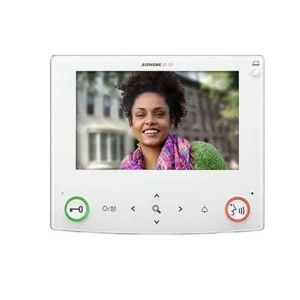
Aiphone GT-1C7 Video Hands Free Tenant Station for Use with the GT Multi-Tenant System
Read more -
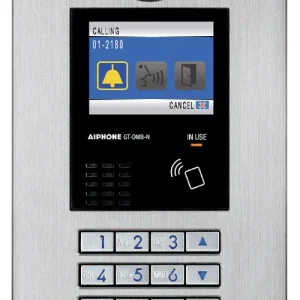
Aiphone GT-DMB-N Stainless Steel 10-Key Video Entrance Panel w/NFC Technology
Read more -
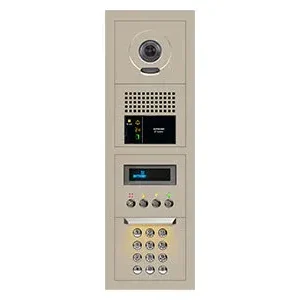
Aiphone GTV-DES104B 10-Key Audio/Video Entrance Panel Kit
Read more -
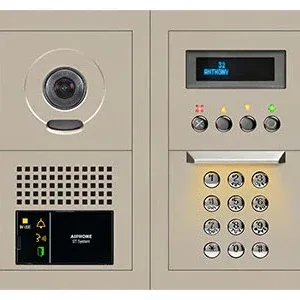
Aiphone GTV-DES202B 10-Key Audio/Video Entrance Panel Kit, 2 Wide x 2 High
Read more -
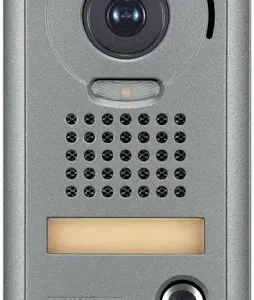
Aiphone JP-DV Video Door Station
Read more -
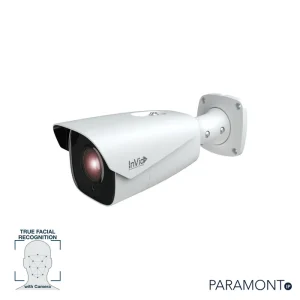
PAR-P2FACE722G1: 2 Megapixel bullet, 7-22mm Lens
Read more -
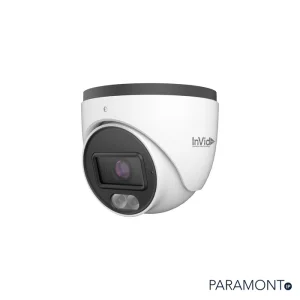
PAR-P4TXIR28-LC3: 4 Megapixel Turret, 2.8mm
Read more